BlogTerminal
Crypto trading terminal with your forex broker in one window
How a crypto trading terminal connects to an exchange with an API key and to a broker through MetaTrader 5, and how an order never lands on the wrong account.

Contents
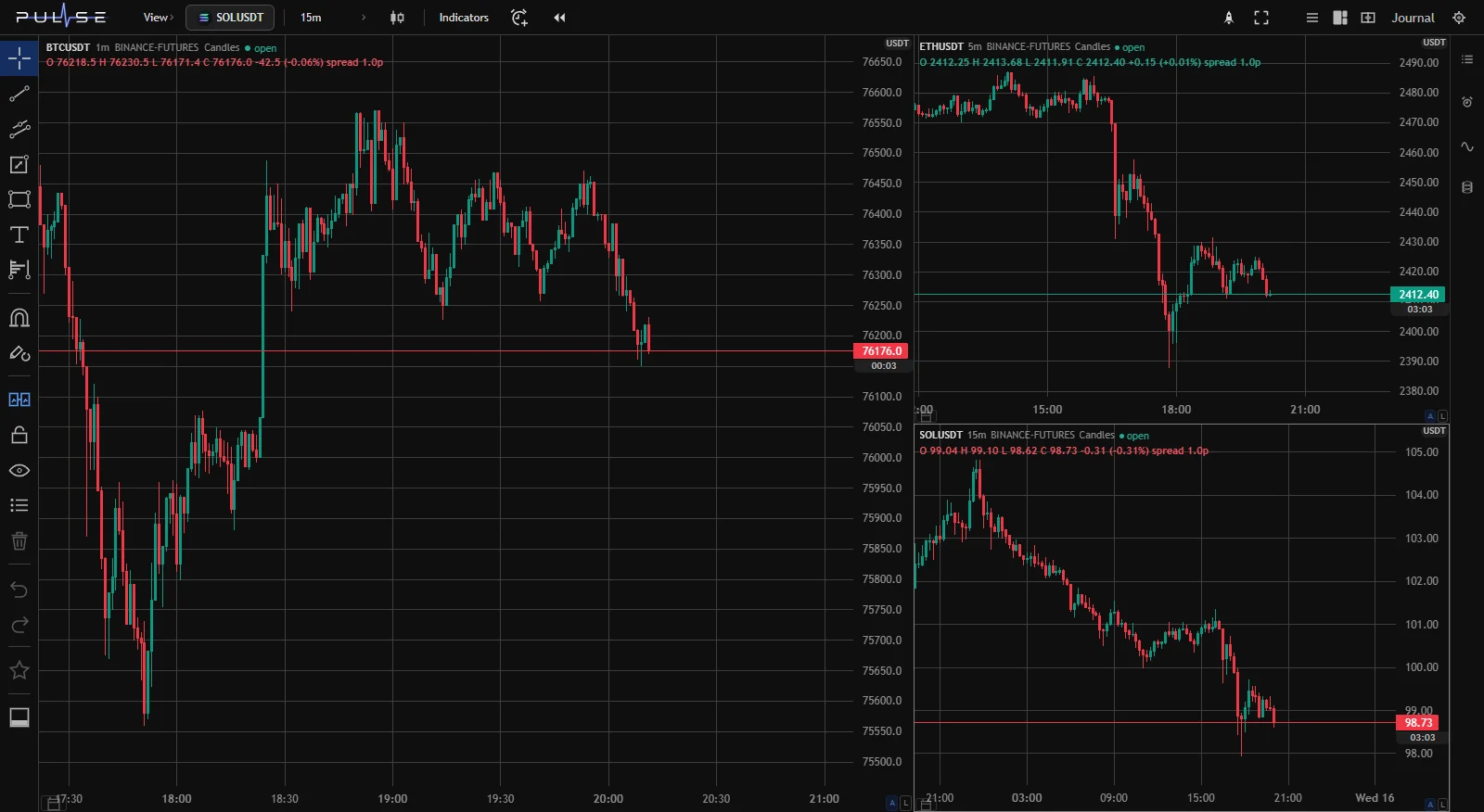
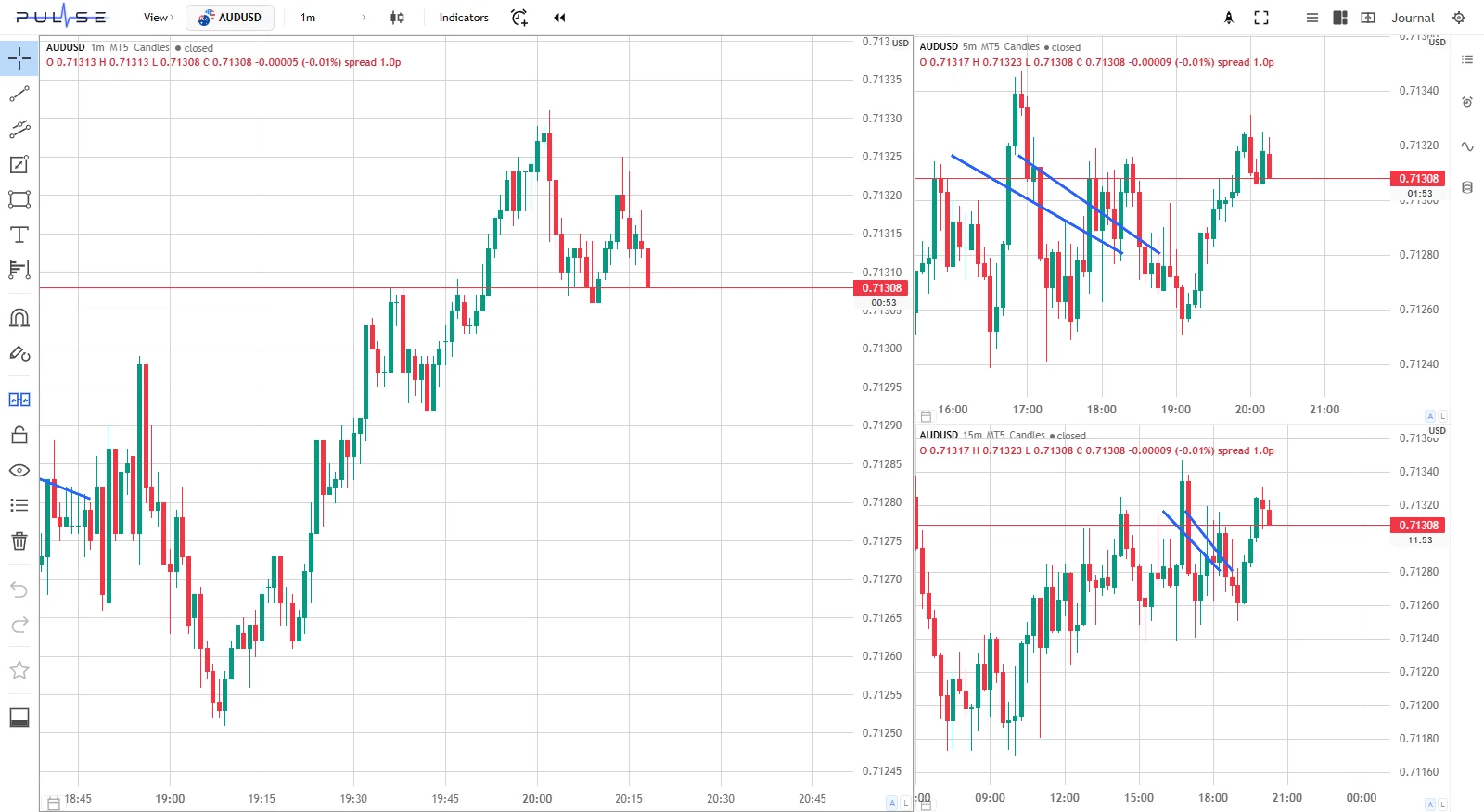
A crypto trading terminal connects to an exchange with an API key and places orders from the chart, without the exchange website. If the same terminal can also connect your broker through MetaTrader 5, forex and crypto end up in one window: quotes come from the broker and the exchanges at once, and lot size, risk limits and the trade journal follow one set of rules.
What a crypto trading terminal is
A crypto trading terminal is a program that shows an exchange's charts and order book and sends orders there on behalf of your account. The money stays on the exchange: the terminal only gets a key with the permissions you gave it.
An API key is two strings: the public part (the key itself) and the secret. Some exchanges add a third part, a passphrase, which you make up when creating the key. You set the key's permissions in your exchange account:
| Key permission | What it gives the terminal | Needed |
|---|---|---|
| read | balance, positions, trade history | yes |
| trade | orders, stops, closing positions | yes, if you trade from the terminal |
| withdraw | moving coins off the exchange | no, never |
Most exchanges serve quotes without a key, so charts in a terminal work right away. The key is for your account, positions and orders.
How to create an exchange API key without withdrawal rights
The steps are similar across exchanges; only the section names differ.
- Open the key section in your exchange account: API Management on Binance, the API keys section of your profile on Bybit and OKX. Binance has step-by-step instructions in its help article on creating API keys.
- Create a key with trading rights. On Binance, futures and spot rights are separate checkboxes.
- Turn off withdrawals (Enable Withdrawals) and, if the exchange allows it, set an IP whitelist.
- Copy the key and secret right away and keep them somewhere safe: the exchange may not show the secret again.
- Paste the pair into the terminal and check that it can see your balance.
A key without withdrawal rights doesn't let anyone take your coins, even if it is stolen. It can still open or close positions on your account, so guard it like a password.
Why keep your broker and crypto exchanges in one window
Trading at several exchanges and a broker usually looks like this: forex in one app, crypto in another, a journal in a spreadsheet. Each venue sizes a position in its own way: in contract lots at the broker, in coins on the exchange. Every evening you have to pull your trades together, and your risk for the day only shows up after that.
One terminal removes that manual assembly:
- Size is calculated the same way, from the risk amount and the distance to the stop, and the terminal fills in the units. The formula is in the article on how to calculate lot size from risk.
- Risk limits see all trades at once, not each app on its own.
- Trades from all accounts land in one journal with no copying by hand.
What connects in Pulse Terminal
Pulse Terminal is a trading terminal for Windows: MetaTrader 5 brokers and crypto exchanges. The exchanges connected today are Binance, Bybit and OKX. Anything you haven't set up isn't polled.
| Broker | Crypto exchange | |
|---|---|---|
| Venues | any MetaTrader 5 broker, up to seven terminals at once | Binance, Bybit, OKX: perpetual futures and spot |
| You need | MetaTrader 5 on this computer with an account in it | an API key without withdrawal rights |
| Quotes | from your broker | work without a key; the key is for your account and orders |
Broker: one slot per terminal
The MetaTrader 5 connection works through slots. A slot is one running terminal with its own account. Pulse finds your installations and lists them, and you can point it at a portable copy on another drive. Each slot beyond the first starts its own terminal process, so keep that in mind on a weak computer.
Orders from Pulse go through when the "Algo Trading" button in MetaTrader is on. You don't have to press it yourself: the slot's "Enable trading" checkbox takes care of it.
The same button also allows any Expert Advisors already on that terminal's charts to trade. If you have some there, keep that in mind.
Exchange: key, leverage and margin
Right after saving, the terminal tests the key by reading your balance. The green "connected" appears only after a successful test, not just because a key was saved. If a saved key still has withdrawals on, the exchange card warns you on a separate line and names where to turn the right off in your own exchange's account. The key pair is stored as a file on this computer, and the screen shows only the tail of the key.
The venues differ slightly. An OKX key has three parts: besides the key and secret you need a passphrase. On Binance, spot has its own key slot, but the "Same key as futures" checkbox lets it read the futures pair. On Bybit and OKX one key works for both markets.
Leverage is set in the same window as the key and applied to the ticker before the first order. The top step is the venue's maximum, which the Pulse manual gives as 125× on Binance, 150× on Bybit and 100× on OKX. Margin mode is always cross. The terminal doesn't set isolated margin, so the liquidation price depends on all your free balance. Perpetual contracts carry a .P suffix in the lists, for example BTCUSDT.P, and spot has no suffix.
Where an order goes
Each working window has one broker. You pick it with the button in the header, to the left of the ticker, and that is where orders go. Changing the broker switches all the charts in the window. You can also pick a broker for each workspace tab.
With no broker selected, the window runs in View mode: you can look at any instrument from any connection, and trading is off. Ticker search covers all connections at once. Clicking a ticker from another connection opens it in View mode, because a window has only one broker. That way an order can't end up in the wrong place.
What works the same everywhere
- Trading from the chart: the same stop and target lines and the same position sizing; only the units change.
- Risk limits: daily drawdown, losing streak and size cap are checked before an order is sent. The article on the daily loss limit covers how to choose them.
- Journal: trades from live MetaTrader 5 and exchange accounts collect themselves in your trading journal, and you can combine sources into one set of statistics.
- Time: everything uses one time zone, and the broker's server offset is removed automatically. If your computer's clock runs behind or ahead of the broker, the connection hint tells you.
- Workspace: drawings, tabs and alerts are stored in your account and move to another computer, while exchange keys stay where you entered them.
What isn't there yet
No cTrader or TradeLocker. Stocks are there if your MetaTrader 5 broker offers them: the terminal shows the broker's full list. Exchanges have no dated futures, and their lists hold only perpetual contracts and spot. Pulse runs on Windows 10 and 11, and a macOS version is in the works. Your phone gets alerts through Telegram, and you can close a position in the mobile MetaTrader 5 app.
FAQ
How is a trading terminal different from the exchange website?
The exchange website shows one account on one exchange. A terminal brings several exchanges and a broker into one window, sizes positions from risk using the stop line and keeps shared limits for the day. The money stays on the exchange and at the broker; the terminal only sends orders.
Is it safe to give a terminal an API key?
It is safe if the key has no withdrawal rights: then no one can take your coins with it. Add an IP whitelist if the exchange supports one, and don't keep the key in chats. In Pulse the pair is stored as a file on your computer, and the screen shows only the tail of the key.
Can you trade crypto with a forex broker?
Only if your broker offers crypto, for example in MetaTrader 5: then it is a contract on the broker's account, not coins on an exchange. To trade on the exchange itself, you need a terminal that connects with an API key. In Pulse both options sit side by side: a broker through MetaTrader 5 and the Binance, Bybit and OKX exchanges.
Can you connect several exchanges at once?
Yes. In Pulse each exchange gets its own key, and you can run up to seven MetaTrader 5 terminals at once for brokers. Quotes come from all connections at the same time, but an order from a window goes only to the account selected in its header.
The numbers in this article are worked examples, not trading advice. Trading on financial markets carries a risk of losing money.