BlogTerminal
How to choose a trading platform: 10 questions to ask first
10 questions to ask a trading platform before your first trade: API keys, risk checks, history, the journal, and your position after the subscription ends.

Contents
- Types of trading platforms
- What it connects to and where your order goes
- Does it check risk before the order goes out
- Where the data comes from: volume, order book, history
- Testing on history and the trade journal
- What happens to a position offline or after the subscription ends
- How Pulse answers
- What Pulse doesn't have
- How to check it during the trial
- FAQ
To choose a trading platform, judge it by how it handles your money rather than by screenshots and indicator counts: which brokers and exchanges it connects to, whether it sizes positions from risk and checks limits before an order goes out, where it keeps your keys, history and journal, and what happens to an open position offline or after the subscription ends. Those are the 10 questions below, and most can be answered in one evening.
People pick by screenshots and switch away later for reasons the screenshots never showed: an order went to the wrong account, position size had to be worked out on a calculator, the journal lived in a spreadsheet, or an update wiped the drawings. Ask these questions of any trading terminal before you move real money into it. You won't need to send a single live order to do it.
Types of trading platforms
A trading platform is any program you analyse and trade from, and the name covers four kinds of software. The questions below apply to each of them differently.
| Type | What it does | Where it stops |
|---|---|---|
| Broker app | account and orders at one broker, on your phone or in a browser | only that broker's markets, simplified analysis |
| Terminal supplied by your broker | charts, order book and orders on your computer | works with that broker only |
| Charting service | analysis, drawings, indicators | trading only through brokers connected to it |
| Independent trading terminal | several brokers and exchanges in one program | only the venues its developers support |
Pulse Terminal is an independent trading terminal, the last kind in the table. How it handles a broker and crypto exchanges in one window has its own article.
What it connects to and where your order goes
A platform should connect to your venues, work with an exchange key that has no withdrawal rights, and always show which account an order will go to.
What does the terminal connect to? Check the markets as well as the broker and exchange names. On a crypto exchange that means spot and futures, and perpetual and dated contracts are often supported differently. If your broker only works through its own software, a third party terminal won't connect to it, however many indicators it has.
Where is the exchange key stored? To trade on an exchange, a terminal needs an API key. It never needs withdrawal rights, so create the key without them. On Binance, for example, withdrawal permission can't be switched on for a key until you restrict it to a list of trusted IP addresses (Binance help on API keys). Ask where the key and secret are kept: on your computer or on the developer's server. Then see whether the app can test the key itself. A saved key is not the same as a working one.
Where will the order go? With several accounts connected, the most expensive mistake is sending a trade to the wrong one. It helps when every window shows which account it trades on, and when looking at an instrument from another venue doesn't quietly turn that window into a trading one.
Does it check risk before the order goes out
A suitable program turns the amount you're willing to lose into lots by itself and checks daily limits before the order goes out.
Does the terminal size positions from risk? You think "I'm willing to lose $50 on this trade". The broker wants lots. The terminal should convert one into the other every time you move the stop, and warn you when the risk is below the minimum lot. The formula and examples are in the article on position size from risk.
Does it have daily limits? A daily loss limit and a pause after a losing streak only work if the software checks them before the order is sent. A rule on a sticky note is the first thing to go on a bad day. How to pick the limit itself is covered in the article on a daily loss limit.
Where the data comes from: volume, order book, history
Real volume and a real order book exist only on an exchange, and practice needs months of history.
Where do volume and the order book come from? On a crypto exchange, volume and the order book are real: actual trades and resting orders. Forex and CFD brokers have no central book. Volume there is usually tick volume, meaning the number of quote changes, and the "order book" shows the broker's liquidity providers. A terminal should tell you which one you are looking at, or you'll end up reading a broker's quote ladder as if it were an exchange book. More in the article on reading the order book.
How deep is the history? Every app has one-minute bars for the last few days. Practice and review need months, and footprint or cluster charts need raw trades, which take up a lot of space. Find out where downloaded data is stored and whether the app fills in a missing period for you.
Testing on history and the trade journal
You need a manual walk through history with commission and spread, and a trade journal that fills itself and lets you export to CSV.
Can you test your trading on history? An automated tester only checks what you can write as code. If you trade levels and context, you need a manual walk through history with commission, spread and swap, built so that no order from it can ever reach a real account. The articles on manual backtesting and a trading simulator on real history show what that looks like.
Does the journal fill itself? If you have to copy trades in by hand, the journal will be abandoned within a week. Check whether live accounts sync on their own, whether results can be counted in R, and whether you can export to CSV. A journal that won't give your data back keeps you around even after the app stops suiting you. Details in the article on a trading journal that fills itself.
What happens to a position offline or after the subscription ends
You should always be able to close an open position: without internet, without the developer's server, and after the subscription runs out.
What keeps working without the window or the connection? This is where platforms differ most. Do alerts and position management live in the chart window or in a background service? What happens to an open position if your internet or the developer's server goes down? And what happens when the subscription ends: does the app lock you out of your positions too?
Get the answer to that last one in writing before your first trade. A position you can't close because a licence expired costs more than any subscription.
How Pulse answers
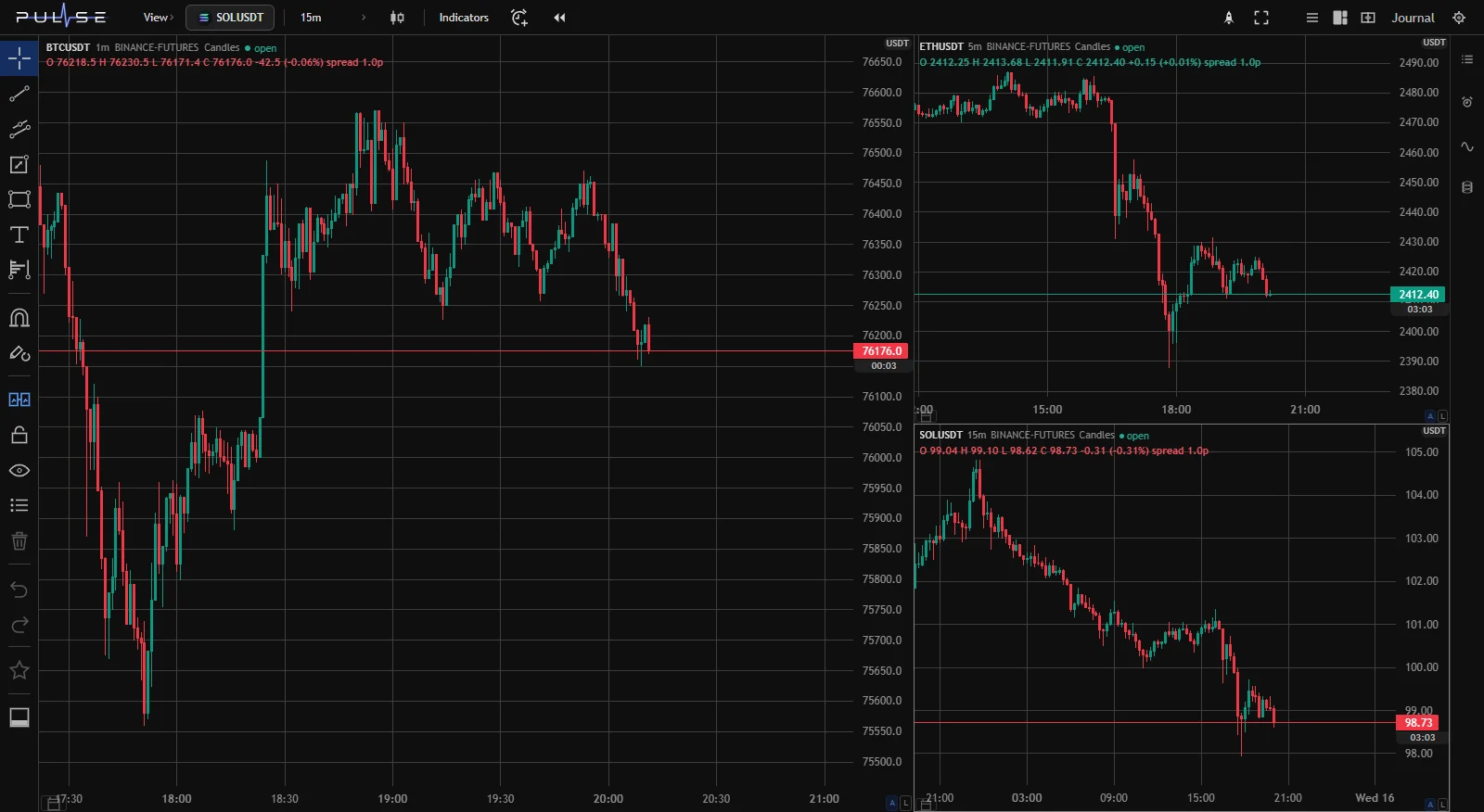
Pulse Terminal is a trading terminal for Windows: MetaTrader 5 brokers and crypto exchanges. The exchanges connected today are Binance, Bybit and OKX. The answers below come from the program's manual.
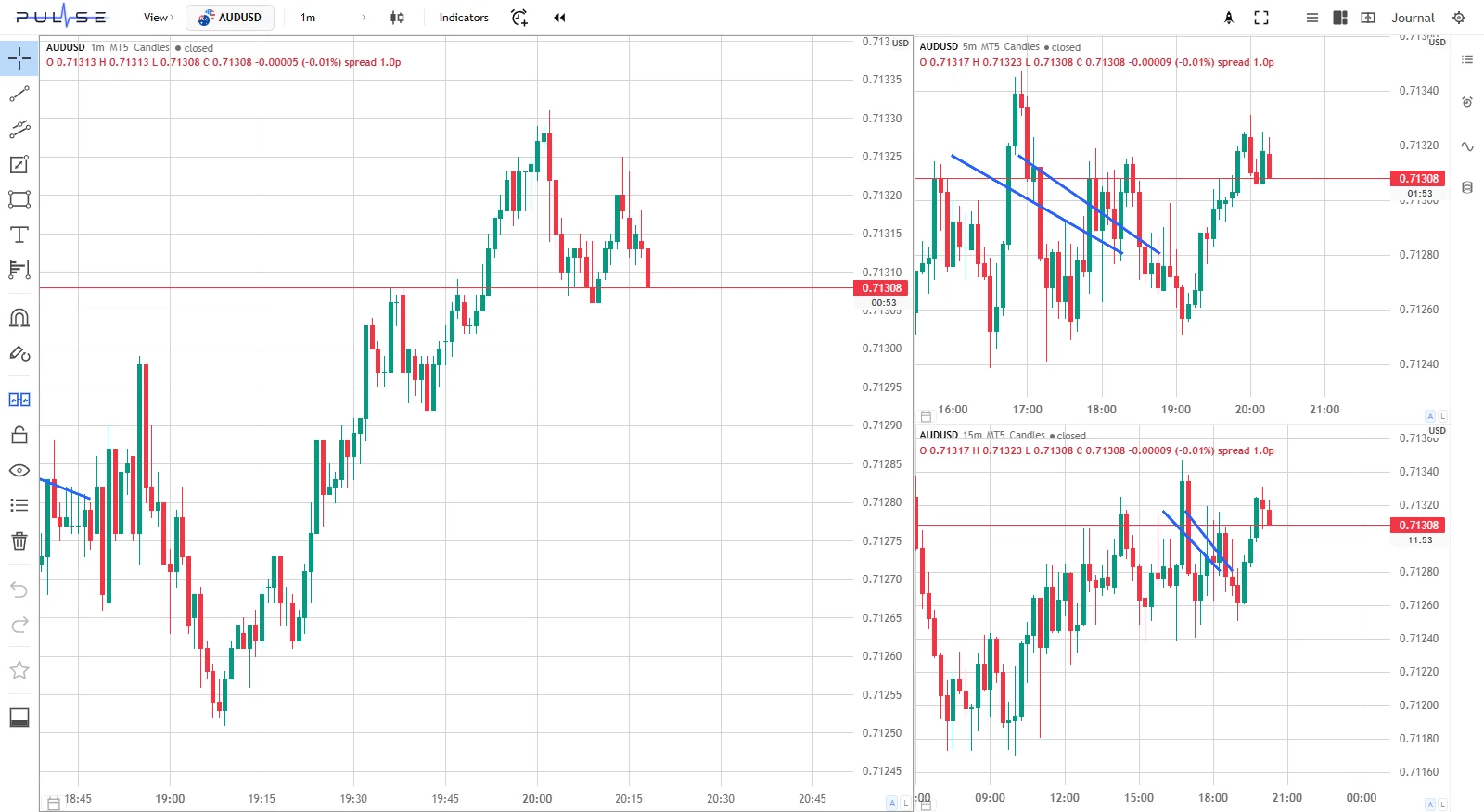
| Question | Pulse |
|---|---|
| Venues | MetaTrader 5 brokers, up to seven terminals at once; Binance, Bybit, OKX: perpetual futures and spot |
| Exchange key | no withdrawal rights needed; the key pair is stored as a file on this computer and only the tail of the key is shown; "Check key" reads your balance |
| Where orders go | one broker per window, named in the header; with no broker selected the window is in View mode and can't trade |
| Size from risk | on the chart; the lot updates every time the stop moves, and the money at risk is written on the lines |
| Limits | daily drawdown from the start-of-day balance, losses in a row, maximum order size; "warn" or "block" mode; checked before sending |
| Data | exchange order books and trade tapes; for MetaTrader 5 the DOM header names the source, broker showcase or "touch levels"; forex volume is tick volume |
| History | stored on your own disk: ticks and one-minute bars, with period downloads in the Data panel |
| Testing on history | Backtest with a paper account, commission, spread and swap; orders never reach the broker |
| Journal | live MetaTrader 5 and exchange accounts, Backtest runs, MetaTrader reports; money, percent and R; CSV export |
| No window, no connection | alerts and position management run in the terminal's service while it is running; trading continues without the Pulse server, and after a day without it new trades pause |
A word on the licence. When your Pulse subscription expires, the app switches to closing only: new trades are paused, but you can always close a position or cancel an order. Stops and take profits placed at the broker keep working there.
What Pulse doesn't have
Better to know now than after you've rebuilt your layout.
- Brokers connect only through MetaTrader 5. If your broker doesn't offer it, Pulse can't connect to it.
- Exchange lists have no dated futures, only perpetual contracts and spot.
- The DOM only displays the book. Orders go from the chart and the trading module; clicking a row in the DOM won't place one.
- The terminal has to be running. Alerts and position management don't need an open chart, but they run on your computer, not on a server. Alerts reach your phone through Telegram.
How to check it during the trial
Five steps cover most of the questions above:
- Connect a broker or an exchange and press "Check key".
- Run a Backtest on your usual ticker and take a few trades the way you would live.
- Set a losses-in-a-row limit in "block" mode and try to break it in the same Backtest. Limits apply there too.
- Open the journal and see what showed up without any typing on your part.
- Set an alert with Telegram delivery, close the chart window and wait for it.
FAQ
Which trading platform is best?
There is no single best one. The right platform connects to your broker or exchange, sizes positions from risk, checks limits before an order goes out, and keeps your journal and history on your side. Rankings usually compare indicator counts and pricing, while the ten questions above weed out a bad fit faster.
Is a trading platform the same as a trading terminal?
Usually yes: they're two names for the same program. Sometimes "platform" means a broker's whole setup, including the app and the website, while "terminal" means the desktop program that sends the orders.
Can I trade with a broker and on a crypto exchange in one app?
Yes, if the terminal is independent and supports both. In Pulse a broker connects through MetaTrader 5, and Binance, Bybit and OKX connect with an API key that has no withdrawal rights. Each window has one broker, named in its header, so an order can't go to the wrong place.
Desktop program or phone app?
A computer is better for analysis, drawings and risk control: a phone screen can't fit several charts and an order book at once. A phone is fine for alerts and a quick look at a position. Pulse is a Windows program, and it sends alerts to your phone through Telegram.
The numbers in this article are worked examples, not trading advice. Trading on financial markets carries a risk of losing money.